
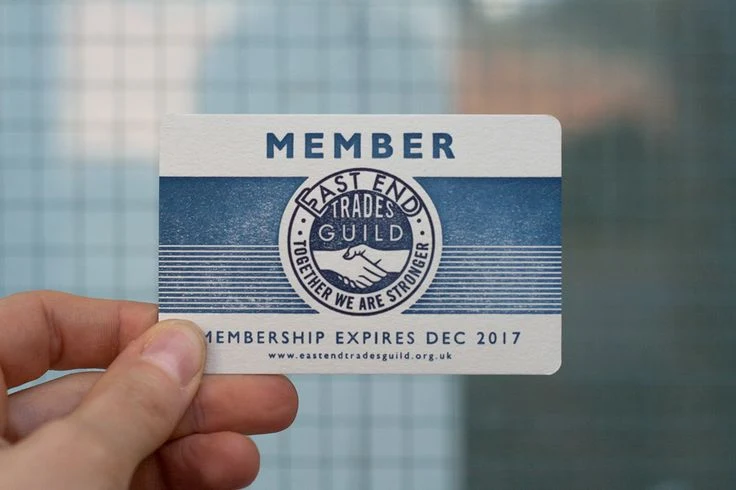
Membership cards seem simple until you are halfway through an order and realize you forgot to confirm encoding, or the cards arrive and do not fit your scanner. Getting it right the first time saves money, avoids reprints, and means every card works from day one. Before you commit to printing membership cards, a few decisions are worth thinking through carefully. The choices made at this stage shape the quality, cost, and long-term performance of the whole program.
1. Card Material and Construction
The material a membership card is made from determines how long it lasts, how professional it feels, and whether it scans reliably every time. Most organizations with a serious card program go with PVC plastic, and for good reason.
PVC Plastic vs Paper and Digital
Not all formats are equal. Here is a quick comparison of the three most common options:
- PVC plastic: Rigid, durable, and wallet-sized, built to handle daily use without bending, fading, or tearing
- Paper cards: Cheaper upfront, but they deteriorate fast and rarely last more than a year of regular use
- Digital cards: Skip the physical format entirely, which works for some members but leaves out anyone without a smartphone or reliable data access
For organizations where the card is a sign of belonging gyms, clubs, retailers, associations PVC plastic consistently delivers better durability and a stronger impression.
Card Thickness and Feel
Standard membership cards are printed at CR80 size and 30 mil thickness, the same as a credit card, which means they fit every wallet and cardholder without modification. Thicker cards at 40 or 50 mil feel more premium in hand, though most programs work perfectly well with the standard format. Sorting this out early prevents cards that do not fit existing readers or cardholders.
2. Design and Branding
A membership card is a physical extension of the brand. Members carry it daily, hand it to staff at every visit, and pull it out at checkout. Weak design undermines the card’s value before it has even been scanned.
What to Include on the Card
Before sending artwork to a printer, make sure every element is present and correctly placed:
- Organization name and logo
- Member name field or space for personalization
- Barcode, QR code, or magnetic stripe if scanning is required
- Membership tier or type if the program has levels
- Expiry date field if cards are renewed annually
- Contact information or website
Leaving any of these off means reprints, stickers, or workarounds, all of which look unprofessional and cost more in the long run.
Full Color vs Single Color
Full color printing opens up photography, gradients, and rich branding that matches existing materials. Single or two-color printing costs less and can still look great when the design is clean and intentional. The choice should come down to brand identity rather than cost alone, because a cheap-looking card reflects on the organization every time a member uses it.
Front and Back Design
Both sides of a membership card are useful. The front typically carries the logo, member name, and identifying information. The back is where magnetic stripes and barcodes live, alongside contact details or instructions for use. Planning both sides before going to print avoids wasted space and makes the card both a credential and a communication tool.
3. Encoding and Technology
Cards that connect to software, point-of-sale systems, or access control readers need encoding built into the card at print time. Adding it afterward is either impossible or far more expensive than doing it upfront.
Magnetic Stripes
Magnetic stripes store a small amount of data read by swiping the card through a compatible reader. Before ordering, confirm that the technology works with existing systems. Three quick questions to check off:
- Does the membership software support magnetic stripe cards?
- Which track format does the POS or access control system require?
- Can the card printer encode to that specification in-house?
Sorting this out before ordering prevents the frustrating situation of cards arriving and not working with existing equipment.
Barcodes and QR Codes
Barcodes and QR codes are printed directly onto the card surface and scanned optically. They need no additional hardware beyond a standard scanner and are straightforward to set up.
Organizations using app-based membership tracking often prefer QR codes for their flexibility. Either works well as long as the code is large enough and printed at a resolution that scans cleanly.
Variable Data and Numbering
Many programs assign a unique number to each card for tracking, access, or loyalty purposes. Variable data printing produces every card with a unique number, name, or barcode in a single print run. Confirming whether this is needed before ordering matters because it affects the data file format required and how the printer sets up the job.
4. Quantity and Budget
Ordering the right quantity is as important as getting the design right. Too few cards means a second order at a higher per-unit cost. Too many means money sitting in unused stock.
Minimum Order Quantities
Most professional card printers accept orders from as few as 50 cards, with the per-unit price dropping at higher volumes. First-time orders often underestimate how many cards are needed once replacements, new sign-ups, and card loss are factored in. Ordering with a realistic buffer avoids a second short-run order partway through the membership cycle.
Cost Per Card at Different Volumes
Unit costs drop significantly as quantity goes up. Getting quotes at a few different volumes before committing shows exactly where the savings are:
- 50 to 100 cards: Highest per-unit cost, suits pilot programs
- 250 to 500 cards: Mid-range pricing, covers most small-to-medium programs
- 500 to 1,000 cards and above: Lowest per-unit cost, best value for established programs
Budgeting for Replacements
Lost, damaged, and forgotten cards are a normal part of running any membership program. Building a buffer of 10 to 15% above the current membership count into the initial order means replacements can be fulfilled quickly without placing a whole new order. Programs with higher turnover or more physical wear on the cards should budget a larger buffer.
5. Turnaround Time and Delivery
Membership cards are often tied to a launch date, a renewal cycle, or a campaign deadline. Knowing the printer’s timeline before placing the order prevents scrambling for cards that have not arrived.
Standard vs Rush Production
Standard turnaround for professionally printed membership cards is typically five business days from artwork approval. Rush options of 24 to 48 hours are available from suppliers who offer them, though rush jobs cost more and leave less room for fixing artwork issues. Ordering early enough to use standard production keeps both cost and stress lower.
Artwork Approval and Proofing
Most professional printers require artwork sign-off before production begins. Reviewing the proof carefully before approving prevents reprints at full cost. Work through this checklist before giving the green light:
- Spelling of the organization name, website, and any member fields
- Logo placement, size, and resolution
- Barcode or QR code position and clear zone
- Encoding specifications match what the system requires
- Correct bleed, margins, and safe zone for the print format
Treating the proof as a genuine quality check rather than a formality is the simplest way to avoid expensive mistakes.
Choosing the Right Supplier
Not all card printers deliver the same quality, and choosing the wrong one creates problems that are hard to fix once cards are already in members’ hands.
What to Look for in a Card Printer
When comparing suppliers, confirm these basics before placing an order:
- PVC card stock printed to CR80 standard size
- Full color printing with no minimum for color options
- In-house encoding for magnetic stripes, barcodes, and variable data
- Free design assistance or an online design tool
- Free samples available before committing to a full order
- Transparent pricing and a clear turnaround timeline
- Domestic production for reliable shipping and quality control
Why Quality Matters After the Cards Are Printed
A card that fades after three months, fails to scan, or feels flimsy in hand undermines the membership experience every single day it is in use. Quality card printing is not the place to cut corners, because the card represents the organization to every member who carries it.
FAQs
What Information Should Go on a Membership Card?
Every card should include the organization name, a member identifier such as a number or name, and any encoding needed for scanning. Tier level, expiry date, and contact information are common additions depending on how the card is used.
What Is the Standard Size for a Printed Membership Card?
CR80 is the standard size, measuring 3.375 by 2.125 inches and matching a standard credit card. This size fits all standard wallets, cardholders, and card readers without any modification.
Can Membership Cards Be Printed With Unique Numbers for Each Member?
Yes, variable data printing produces each card with a unique number, name, or barcode in a single print job. The key step is providing the member data in the format the printer specifies.
Takeaway
Before you print membership cards, confirm the card material, design, personalization, encoding, quantity, and production requirements so the finished cards work as intended and represent your organization well. Getting these details right upfront can help avoid unnecessary reprints, delays, and compatibility issues.
Duracard produces custom plastic membership cards with options for full-color printing, magnetic stripes, barcodes, numbering, and variable data, along with design assistance for customers who need help preparing their artwork. Free samples are also available to give you the opportunity to review the card before committing to a larger order.
Want to print membership cards? Duracard can help you choose the right card options, prepare your design, and place your order based on your membership program’s requirements.
Read More: Complete Guide to Card and Key Tag Printing
